by sean@higheredcareercoach.com | May 7, 2012 | Job Search, job search tools, networking, Social Networking
 LinkedIn rolled out a new feature the other day, and somehow I missed it until yesterday, when I was using it on my iPhone. It asked me if I wanted to activate the new calendar feature so I could find out more about the people I’m meeting with this week. This is a great enhancement to the app, and something I hope they integrate into the web version soon.
The move is also the latest proof that we have moved beyond the era of simple social networking and solidly into the era of social network intelligence, where the average user can take advantage of the vast data mines we so happily participate in. I’ve covered “social network intelligence” tools before, with my favorite being Gist, a free social CRM tool that was acquired by Blackberry as part of its efforts to integrate cloud-based features into the lagging Blackberry ecosystem and their related notebooks. I’ve also recently been testing Nimble, which does many of the same things, and have tested Rapportive, as well as Xobni’s Smartr Contacts app on iPhone. GMail also gives users the ability to see more about your contacts by turning on the “people widget” in their mail settings.
CRM (Customer Relationship Management) applications have been widely used by sales professionals for years, but the advent of Social CRM apps (especially free ones) brings the possibility of better relationship management to the everyday user.
Some typical features of social CRM apps:
- Calendar and e-mail integration. Inside one app, you can see who you are meeting with, when you’ve met with the person before, and the e-mails you’ve traded. It’s great to be able to pull up e-mails and attachments you’ve traded as you meet with a contact. How many times have you been on a phone or web meeting and had to say, “I don’t know if I received that, let me search my inbox.” No more. It’s all right there.
- Notes. You can make notes about your meeting.
- Tasks. You can create new tasks and set deadlines. In some CRM apps, you can share tasks with colleagues, or assign them to specific team members for follow-up.
- Social network integration. Add a social network profile to follow, and you can read tweets, Facebook posts, and LinkedIn updates from within the contact dashboard.
- Web searches. Many social CRM apps integrate with Google API and will return possible results for the person, company, and industry related to your contact.
- RSS feed integration. Follow a contact’s personal or corporate blogs, podcasts, and anything else with an RSS feed.
- Maps. If you have a physical address for a contact, you can get a map and driving directions from within the CRM application.
 LinkedIn’s foray into social CRM is interesting, but at this point, it’s also pretty basic. First, you click on the calendar tab (really a frame of sorts) in the upper right, and it shows your calendar. You’ll see the contact’s LinkedIn photo and name. Within the meeting, you see links to the LinkedIn profile for each person in the meeting (including you) and a pane with notes. If you want more information, you click through to view the person’s profile.
I’ll be interested to see how many more of the typical social CRM features LinkedIn integrates in the future. With access to so much user data, and its position as “the” professional social network, LinkedIn could bring Social CRM not only into your schedule, but into the mainstream.
Like this:
Like Loading...

by sean@higheredcareercoach.com | May 4, 2012 | Job Search, Podcast, Resumes and CVs

Click for Image
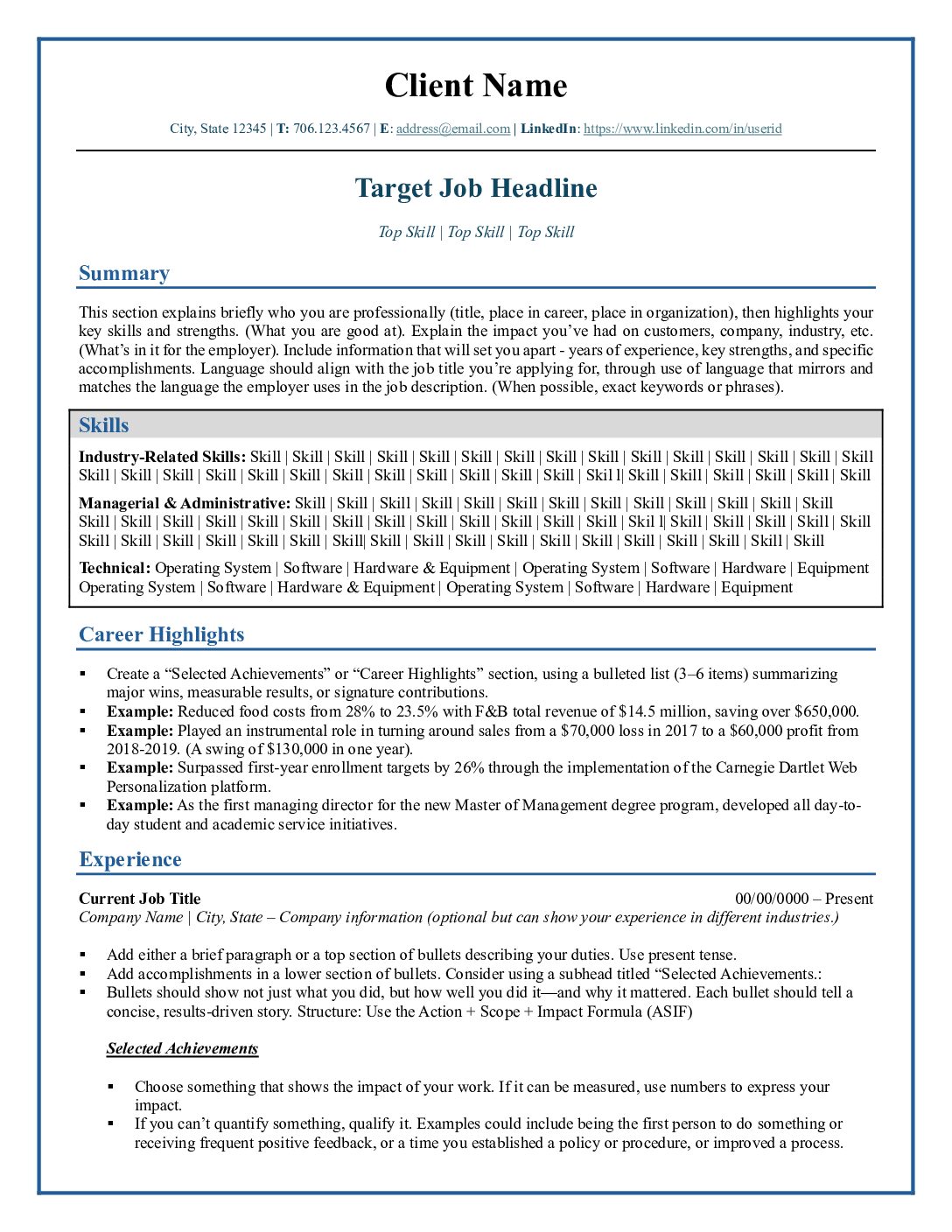
Your resume gets you in the door. Or it doesn’t. It won’t get you a job. Its role is to get you noticed.
In this week’s episode of the Higher Ed Career Coach Show on BlogTalkRadio, I’ll be talking about the art and science of resume writing, and give an overview of the 7 points included in my recent e-book.
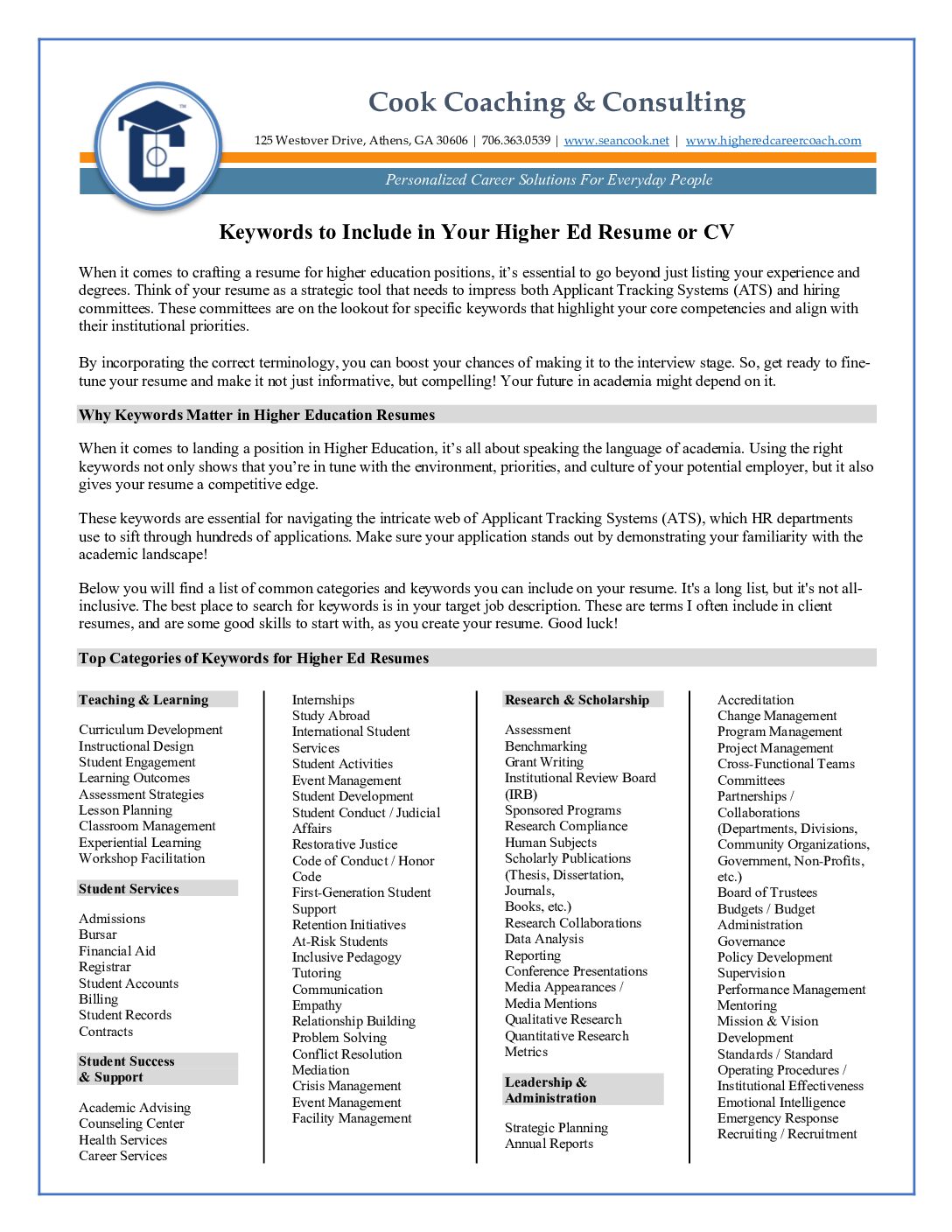
We’ll also discuss ATS (Applicant Tracking Systems) and explore tools and tips to help you tackle the challenge of writing a keyword-rich resume.
I will also take calls from those with questions about resumes and provide a brief overview of my resume writing and career coaching packages.
Please join me for the podcast by clicking the episode link or listening with the player in the sidebar at right.
If you’d like to call in, the number is (347) 989-0055, or you can use the Skype “S” click-to-talk button from the episode page to connect via Skype.
Like this:
Like Loading...
by sean@higheredcareercoach.com | Apr 26, 2012 | Job Search, Podcast
 When your job search stalls, it’s discouraging. We’re starting to reach that part of the year when interviews for the first big wave of vacancies from placement conferences comes to an end, so that’s the topic for this week’s podcast.
How can you get back in the game? And what can you do to keep your spirits up, in the face of an extended search?
One this week’s podcast, Higher Ed Career Coach Sean Cook will offer some tips and perspectives, and will take your calls. Please join the show at 11 am Friday.
Like this:
Like Loading...

by sean@higheredcareercoach.com | Apr 3, 2012 | Infographic Tuesday, Job Search, Social Networking
LinkedIn is the largest professional network on the internet, with more than 150 million members in over 200 countries and territories, and it adds 2 new users every second. Using the network effectively is a hot topic in business circles, but in my work with clients in higher ed, I get some interesting responses when I encourage them to look into ways to use LinkedIn effectively.
Five things I’ve heard from clients and colleagues recently:
“In Higher Ed, it’s always about what you know, not who you know.”
“I’ve already got tenure. I don’t need to worry about networking.”
“LinkedIn doesn’t really do anything.”
“I don’t need another place to post my CV. It’s on my website, and I can e-mail it to anyone who might need it.”
“I don’t know anyone who uses LinkedIn besides my students, and I don’t see what good connecting with Johnny from my [insert class name here] is going to do me any good.”
If you’ve said any of the above, or have trouble convincing your colleagues to dive into LinkedIn, this infographic might help. I’ve written it to sum up some of my thoughts, in response to the questions above.

Look for more articles and resources on how to use LinkedIn soon! If you really want to really dive in and learn how to use LinkedIn like a pro, check out Lewis Howes’ LinkedInfluence course. (affiliate link). I bought it and found it well worth the money. It gives a great overview of the LinkedIn profile and how to optimize it, and best ways to use groups, applications and other features.
I also offer LinkedIn coaching and profile writing packages, if you are looking for a little one-on-one help. Contact me at sean@higheredcareercoach.com for more information.
Do you have any great LinkedIn tips? Share them in the comment section.
Like this:
Like Loading...

by sean@higheredcareercoach.com | Mar 21, 2012 | Infographic Tuesday, Job Search, Resumes and CVs
Today’s infographic is an illustration of the main points in my recent e-book “7 Points to a Winning Resume.” The e-book is available here and is now marked down permanently to $7. As before, it includes a $25 coupon, which can be used toward resume services or for coaching packages. Contact me for more information if you are interested.
Melissa is traveling this week, and we didn’t get a chance to connect on this week’s projects, so we did not have an infographic yesterday. I do hope that we can continue running infographics (ours, as well as those from other great sites) on Tuesdays, and that we’ll have the “Take 5” posts each Thursday, featuring recommendations for great articles worth reading, as you plan your job searches and your career development.
7 Points to a Winning Resume

Suggestions Welcome
If you have ideas for infographics you would like to see on the site, please send in your suggestions to Melissa Judy, Content Development Intern, at melissa@higheredcareercoach.com.
Guest Posts and Guest Infographics
Higher Ed Career Coach also accepts infographics as guest posts. The information presented must be relevant to our readership, and publication is at the sole discretion of the publisher. Topics related to job searching, the job market in higher education, educational funding, coaching skills for faculty and administrators, and using social media for job searching are especially relevant. For more information, contact Sean at sean@higheredcareercoach.com.
Like this:
Like Loading...

 LinkedIn rolled out a new feature the other day, and somehow I missed it until yesterday, when I was using it on my iPhone. It asked me if I wanted to activate the new calendar feature so I could find out more about the people I’m meeting with this week. This is a great enhancement to the app, and something I hope they integrate into the web version soon.
 LinkedIn’s foray into social CRM is interesting, but at this point, it’s also pretty basic. First, you click on the calendar tab (really a frame of sorts) in the upper right, and it shows your calendar. You’ll see the contact’s LinkedIn photo and name. Within the meeting, you see links to the LinkedIn profile for each person in the meeting (including you) and a pane with notes. If you want more information, you click through to view the person’s profile.